Tasfer: a text editor drawn on a 2D canvas
Written: November 3, 2026
When you type into a text editor on the web, chances are you are typing into something called contentEditable. It is an old browser API that lets you mark a piece of the page as editable, and then the browser takes over. Almost every rich text editor out there is built on top of it, one way or another.
If you have ever tried to build an editor with it, you know. It is not only hard to work with, it is full of quirks. The browser decides what the HTML looks like after you press Enter. Every browser decides a little differently. Selection jumps around. Pasting brings in garbage. And you spend most of your time fixing what the browser did instead of building what you wanted.
So I did something a bit crazy. I threw it away and drew everything myself on an HTML5 canvas.
Drawing every letter
In Tasfer, the browser never decides what is on the screen. The editor does. Every letter, the cursor, the selection, line breaking, right-to-left text for Arabic, all of it is measured and painted onto a 2D canvas by code I wrote.
The keyboard is the one thing I could not replace. Typing, autocorrect, and the Arabic or Chinese input methods only work if the browser thinks you are typing into a real text field. So there is a small hidden input that receives the keystrokes, and the editor takes it from there. The browser listens, but it does not get to draw.
That sounds like a lot of work, and it is. But it also means the editor looks and behaves the same in every browser, on desktop and on phone, because nobody else is in charge of the pixels.
The detour I took first
Here is the part I do not usually mention. I did not start with canvas. I started with WebGL and WebGPU, because I thought I would render text on the GPU like a game engine.
I spent a lot of time parsing TrueType font files by hand, trying to turn glyph outlines into something a GPU could draw. I learned a lot. I also did not ship much. At some point I accepted that the 2D canvas was good enough, and fast enough, and moved on.
Christmas 2025
Then, during the Christmas break at the end of 2025, I discovered how good Claude and the other LLMs had gotten. Not "write me a function" good. Actually useful for a big, messy project like this one.
So I used them, intensively, and the speed changed completely. Things I had put on a "maybe one day" list started to happen in a week.
No servers, no accounts
I have always hated how people blindly hand everything they write to some company's server, without thinking about it. Notes, plans, private stuff. So when I had to choose between turning Tasfer into a business or keeping it honest, I dropped the commercial ideas pretty quickly.
Instead, Tasfer is local-first. Your documents live on your device. There is no sign-up and no cloud copy.
That made collaboration the hard part. If there is no server holding the "real" document, how do two people edit the same page at the same time? The answer is a CRDT, a data structure where every edit is an operation that can be merged in any order and still end up with the same result on every device. I implemented that logic myself, and peers send their edits directly to each other over WebRTC, encrypted.
To be fully clear, a small server does help two devices find each other, and it keeps nothing. After that, peers talk directly. Only as a fallback, when a network blocks the direct connection, does the traffic go through a relay, and it is encrypted, so the relay passes along data it cannot read. Your document never lives on a server.
It kept growing
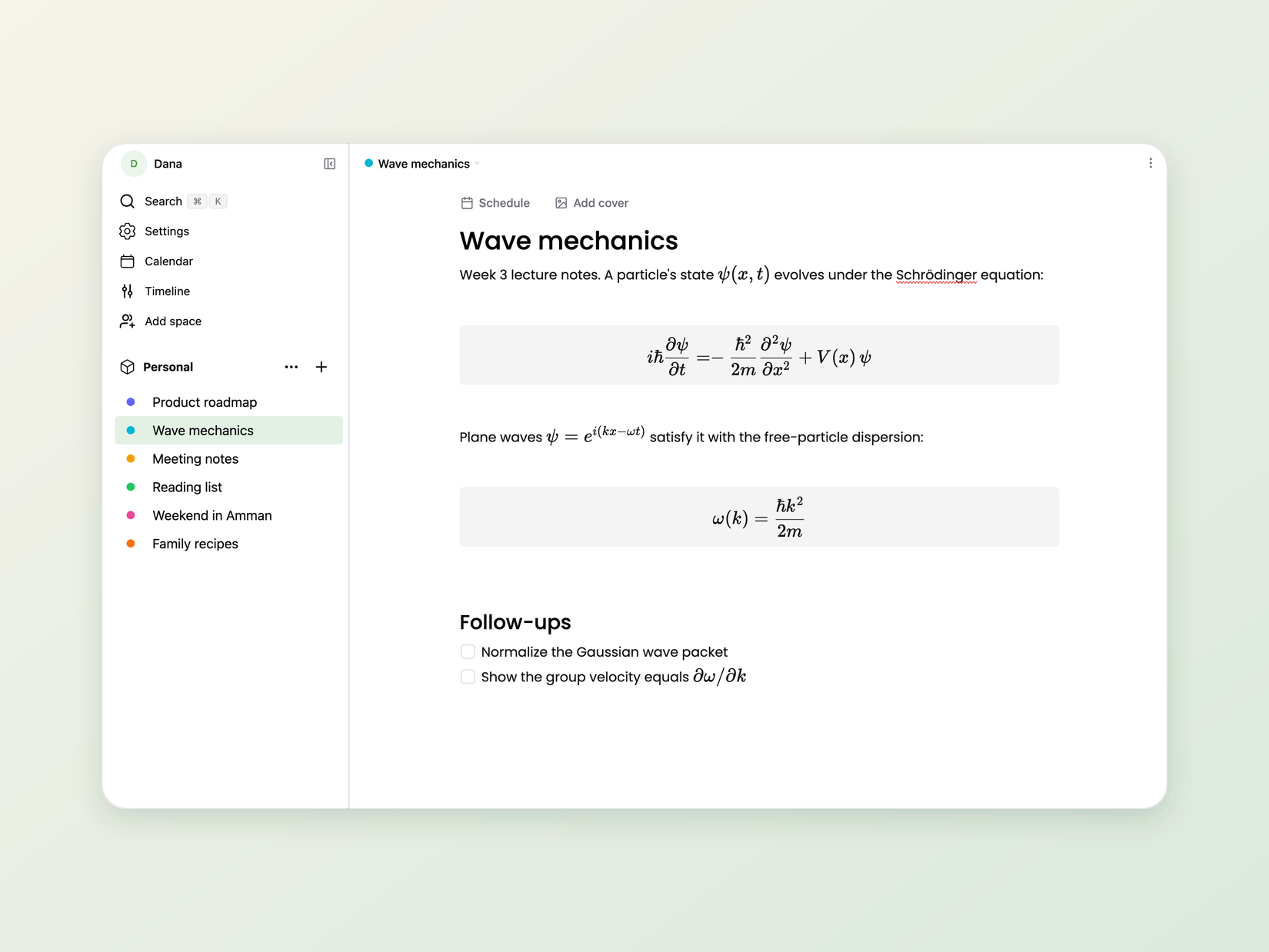
It started as a text editor. Then it needed math, so I wrote a LaTeX renderer that draws on the canvas too. Then code blocks with syntax highlighting. Then tables. Then a calendar, because I wanted my tasks next to my notes. It now runs on the web, macOS, Windows, Linux, iOS and Android.
I use it every day for my own work, mostly for writing equations. That is the best test I know of. If something annoys me, it gets fixed.
Open source, with an SDK
Tasfer is open source now, under two licenses:
- The app is copyleft, under AGPL. If you fork it or host it, you share your changes.
- The editor engine is MIT. You can use it in your own product, commercial or not, with no strings attached.
The engine is a separate package with its own SDK, so if you want a canvas editor in your own app, you do not have to go through what I went through. The docs are at tasfer.app/docs and the code is at github.com/tasferlabs/tasfer.
You can try it in your browser at tasfer.app, nothing to install. And if you have ever fought contentEditable and lost, I would love to hear about it.